Casino surveillance environments already have dense camera coverage. The recurring blind spot is not usually the floor camera estate. It is the workstation the operator actually used during the event: the surveillance working monitor, the review station where evidence was assembled, or the POS screen at a bar or restaurant inside the property.
In U.S. casino environments, that gap is often a compliance problem as well as an operational one. Supervisors, gaming-board personnel, or tribal regulators may need to know what the operator actually saw, what view was built, and whether the relevant recordings can be retrieved quickly with the same discipline as the rest of the surveillance estate.
DeskCamera matters here because it can expose selected casino workstations to the VMS as ONVIF and RTSP-oriented video sources instead of leaving screen evidence in a separate desktop recorder.
Why the Compliance Angle Is Real in U.S. Casinos
Exact obligations vary by state, tribal regulator, and approved internal controls, so this is not legal advice. But the U.S. regulatory picture is specific enough to show why working-monitor recording matters.
- Indiana Gaming Commission rule
68 IAC 1-9-2requires the commission surveillance room equipment to be capable of monitoring or recording, without being overridden, anything visible by video monitor or display screen to employees working in the casino surveillance room. - Michigan Gaming Control Board rules
R 432.11005andR 432.11011address monitor-visible evidence, retrieval by time, date, location, or type of activity, and immediate production of surveillance recordings and logs. - For tribal gaming operations, the NIGC’s
Advisory Bulletin on Digital Surveillance Systems, publicationNo. 2007-2dated March 21, 2007, recommends frame-rate, retention, and evidentiary-integrity practices for digital surveillance systems.
The practical takeaway is straightforward: if a regulator or internal compliance team may ask what the operator actually saw, a disconnected desktop recorder is a weak answer. A screen that lives inside the VMS is easier to retain, control access to, search, export, and produce on demand.
Where Casino Screen Recording Adds Value
Casino teams usually start looking at this in a few repeatable situations:
- they need the surveillance working monitor recorded inside the VMS for supervisor or regulator review
- they need the exact assembled operator view, not only the underlying camera exports
- they need POS screen evidence for comps, voids, refunds, discounts, or payout exceptions
- they need one retention, permission, and export workflow instead of a separate desktop recorder
That is narrower than generic screen recording. The value is not blanket employee capture. It is preserving surveillance and transaction context that can stand up to supervisory, audit, or regulator review.
Workflow 1: Working Monitor Evidence for Board and Supervisor Review
A common casino use case is the surveillance working monitor.
During a live incident, an operator may build a custom view from several cameras, zoom levels, and playback windows. After the event, a supervisor or regulator may not only want the source exports. They may also need the exact assembled view that informed the operator’s decision at the time.
Recording the working monitor helps answer questions such as:
- which camera group and playback windows were on screen during the critical period
- whether the operator escalated, reviewed, or switched views in line with procedure
- what the operator actually had visible when a decision, callout, or export was made
That creates a more defensible record of the review process itself, not only of the activity on the floor.
Workflow 2: Hospitality POS, Comps, and Exception Review
Most casino properties also run bars, restaurants, service counters, hotel desks, or club operations where the POS screen carries evidence that ordinary camera coverage cannot fully reconstruct.
A disputed comp, refund, void, manual discount, or cash-handling exception often needs more than overhead camera footage. Investigators may need the transaction screen, operator steps, and surrounding camera view on the same timeline.
That is where a focused POS deployment becomes useful. The screen recording does not replace the transaction system of record, but it can make surveillance and compliance review much faster because the reviewer can see:
- what the cashier or operator had on screen
- when the transaction path changed
- how the screen activity lined up with the customer interaction on camera
Real Casino Deployments
- SSI , a system integrator, uses DeskCamera for the casino surveillance “working monitor” so the assembled operator view can be exported and reviewed without standalone encoders, extra power, extra cabling, or extra failure points.
- Victoria Gate Casino moved from a one-till trial to a broader rollout within a week, with no downtime and lower loss incidents, recording multiple Windows POS tills to a local NVR.
- Lasseters Casino records barcode voucher values so operators can compare voucher amounts with cash payouts when ordinary cameras cannot read the paper clearly — without replacing the existing camera estate or building a custom NVR interface.
All three cover a different part of the casino workflow: surveillance-room operator views without extra edge hardware, faster POS rollout with fewer losses, and voucher-value verification without rebuilding the video stack.
If the immediate need is bar, restaurant, or service-desk POS review, see POS screen recording for retail VMS deployments .
Operational Considerations Before a Rollout
Casino deployments usually have higher expectations around evidence handling and retrieval discipline than ordinary office environments.
Readable playback on real review stations
Working monitors, review stations, and POS screens often include many small interface elements. Test the stream against actual investigative playback, not only a basic connectivity check.
Time sync and traceability
If the question is “what was visible at 21:14:33,” the screen channel has to line up cleanly with VMS time, exported clips, and the property’s retained evidence workflow.
Retention and retrieval discipline
Do not treat a surveillance working monitor like a casual desktop recording. Decide how long it is kept, who can retrieve it, and how quickly it can be produced by time, workstation, or incident.
Access separation
Recorded surveillance screens may expose investigative methods, operator workflows, or restricted tools. Permissions should reflect that from the start.
Failure handling and change control
If the screen channel supports a compliance or regulatory use case, treat outages, maintenance, and profile changes like surveillance events, not like ordinary desktop software changes.
Shift-change continuity
Compliance-driven customer deployments point to the same practical requirement: if the workstation is part of the evidence trail, teams should test what happens across logoff, reboot, session lock, and operator handoff, not only during a live logged-in session.
Scope discipline
Do not expand from one justified screen to blanket desktop capture. Start with the working monitors and POS endpoints that already drive reviews, audits, or regulator questions.
Why DeskCamera Fits This Model
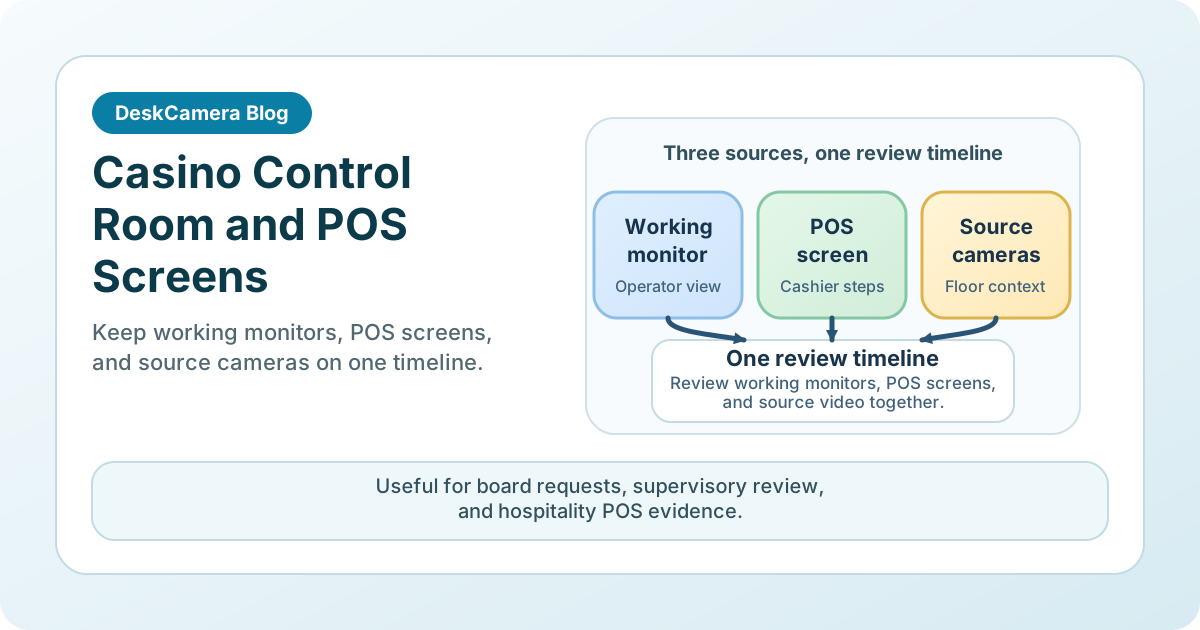
The model makes sense because it respects the existing surveillance workflow. Teams already review evidence in the VMS. Adding the working monitor or POS screen to that same timeline is more practical than maintaining a separate archive of desktop videos that has different retention, permissions, and export rules.
The product capabilities most relevant to this use case are summarized on the DeskCamera feature overview and the DeskCamera compliance statement .
If the broader use case is general workstation-to-VMS recording, see How to Record a Computer Screen to a VMS . If you need the underlying device model, read Can a PC Act as an ONVIF IP Camera? .
Start with the Screen That Already Drives a Review Request
A strong casino pilot usually starts with one surveillance working monitor that already supports investigations or one hospitality POS endpoint that already generates exception review. That lets the team validate readability, retention, access control, and export on a real workflow before expanding.
To compare the product fit, review the DeskCamera casino page and the deployment examples from SSI, Victoria Gate Casino, and Lasseters Casino linked above.
If you already know which workstation and VMS workflow you want to test, start a free trial .