Some healthcare environments generate important visual evidence on screens, not only in rooms. In simulation centers, nursing or skills labs, and other tightly controlled workstations, the useful record may be the vital-sign display, the software interface, the instructor console, or the application state that explains what happened during a session.
The same need appears in some education and assessment environments, especially where teams need to review the room, the simulator output, and the workstation together. These deployments have to be scoped very carefully. Broad workstation capture is usually the wrong model. Controlled environments with a defined debrief, assessment, or incident-review purpose are the better fit.
DeskCamera fits this workflow because it can expose selected Windows-based screens and related media to the VMS over ONVIF and RTSP, which keeps review inside the surveillance workflow rather than a separate training or desktop archive.
Best-Fit Healthcare and Education Environments
Teams usually need this in a small set of controlled scenarios:
- recording a simulation-lab or vital-sign laptop in the VMS
- reviewing a clinical or training workstation together with room video
- capturing a controlled exam, assessment, or simulator workstation inside the surveillance environment
That is a much narrower use case than broad desktop monitoring, and it is usually easier to justify and govern.
Workflow 1: Simulation Lab Debrief
Simulation labs are one of the clearest fits.
A training room camera can show the participants and the physical interaction, but it cannot show the software-driven context on its own. Review teams may also need:
- the instructor console
- the patient-monitor or waveform display
- the training application used during the scenario
- the exact sequence visible when the team made a decision
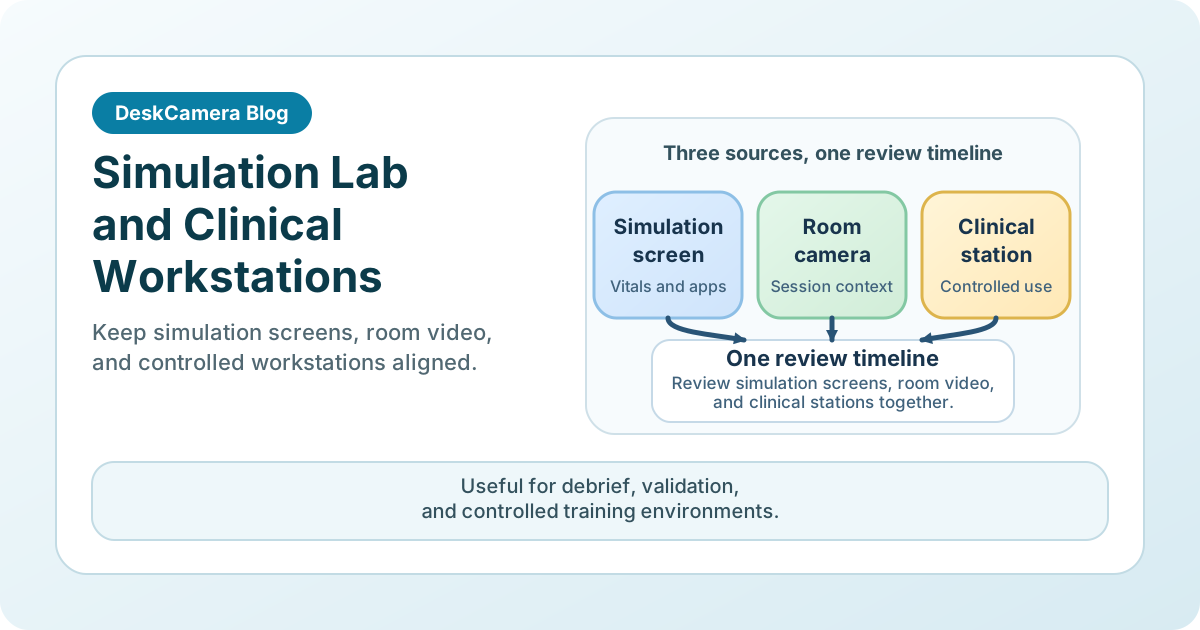
When the screen and room video sit on the same timeline, debrief becomes easier. Instructors do not have to stitch together separate video sources to explain what the learners saw and what the system displayed.
Workflow 2: Controlled Clinical or Skills-Lab Workstations
A second use case is the tightly defined workstation in a controlled environment.
Examples include a clinical review room, a healthcare skills lab, a simulator-control laptop, or another workstation where post-session review depends on the application state as well as room activity. In those settings, the deployment is strongest when the team can define exactly why the screen is being recorded and who is allowed to review it.
This is most useful for:
- training review
- process validation
- documented exam or lab sessions
- incident follow-up in controlled environments
Where This Works in Practice
In one nursing simulation program, DeskCamera was tested to bring live simulator vital signs into the debrief workflow as the team moved away from a simulator vendor’s expensive licensing model. The rooms already had cameras for teaching and assessment, but the review team also needed the laptop showing live vital signs on a monitoring screen during debrief.
Other healthcare and education teams use DeskCamera to bring vital-parameter displays from medical systems into an NVR or to capture simulated vital signs from a training mannequin’s monitoring screen. In each case, the goal is the same: the camera view alone is not enough, and the team also needs the simulator or application screen on the same review timeline.
If your main need is webcam integration rather than screen context, see Use a USB Webcam as an RTSP or ONVIF Camera .
Operational Considerations Before a Rollout
Privacy and sensitive data
These environments can expose protected health information, student data, exam content, or internal case details. Teams need explicit rules for scope, access, notice, and retention before deployment.
Controlled scope
This technology is strongest in rooms and roles with a clear review purpose. Blanket recording across ordinary desktops is usually difficult to justify and difficult to manage responsibly.
Readable playback
Clinical and training interfaces often contain dense text, small indicators, or waveform detail. Test the stream against the real review task, not only against basic recording success.
Combined media design
Some environments need screen only. Others need screen plus room video or screen plus webcam. That should be decided early so the VMS layout and retention policy match the workflow.
Why Teams Keep This Inside the VMS
In the strongest deployments, the screen is treated as one part of a controlled review workflow, not as a generic background recorder. Teams usually want role-based access, retention inside the existing surveillance system, one timeline for room and screen review, and a narrow deployment with a defined purpose.
That is a better fit than broad capture across ordinary clinical desktops. The governance side is worth reviewing on the public compliance statement .
If you need the broader architecture first, see How to Record a Computer Screen to a VMS .
Start in One Controlled Room, Not Across the Estate
The safest pilot is usually one simulation suite, one vital-sign workstation, or one skills lab where screen evidence already has a clear review purpose. That gives the team a way to validate privacy, readability, and combined screen-plus-room review before expanding.
If that matches your environment, start with the DeskCamera Education and Healthcare page and start a free trial for one simulation room or controlled workstation.